

The call from the player's point of view, in 30 seconds.
You play today
If the organizer turned on app check-in, on a day you play the Competitions screen — the first one that opens after you sign in — shows the You play today card, with the competition’s name, the venue and the Check in button.1
Wait for it to open
Check-in opens 1 hour before the first session of the day. Until then
the button stays dim and the card reads Check-in opens at HH:MM.
2
Tap it near the venue
Once you are there, tap Check in. Matchely checks your distance to the
venue — and nothing else: your location is only used to check the distance
and is not stored.
3
Done
The card turns into Checked in at HH:MM. Your attendance shows up at the
organizer’s desk right away.
Too far? The card tells you how far: You are 600 m from the venue.
Check-in works within 300 m. If your phone’s location is imprecise — on
Android you can grant approximate location only — the card says so and asks
for precise location, or for you to find the organizers.
Location blocked for Matchely, or turned off on the device, gets its own
notice: allow it in your device settings (or in the site permissions, in the
browser) and tap again.
When the organizer has published the tournament schedule, the card shows your
Next match: the time, the court and the matchup. If the competition’s rules
set a check-in deadline, it also shows the time to check in by.
Without a published schedule it does not show the match: the round, the court
and the opponents come from the Your next match card on the competition’s
page (below).
When check-in is with the organizers
In a competition under way where the organizer did not turn on app check-in, the card shows up the same way but with no button: just Check in with the organizers — so you know you play today, and that attendance is ticked at the desk. If the desk has already ticked yours, the card shows Checked in at HH:MM as in the other case.The call
When the desk calls the match, the app opens a full-screen alert: “Your match was called”, with the court, the competition, the partner and the opponents. Two buttons:- On my way closes the alert and opens the match page.
- See later just closes the alert.
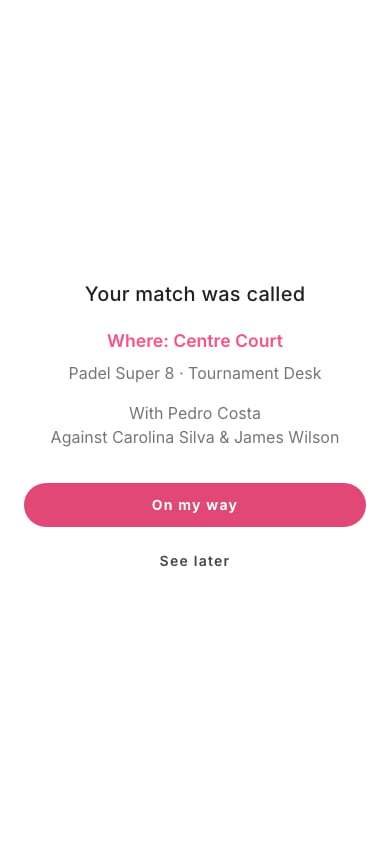
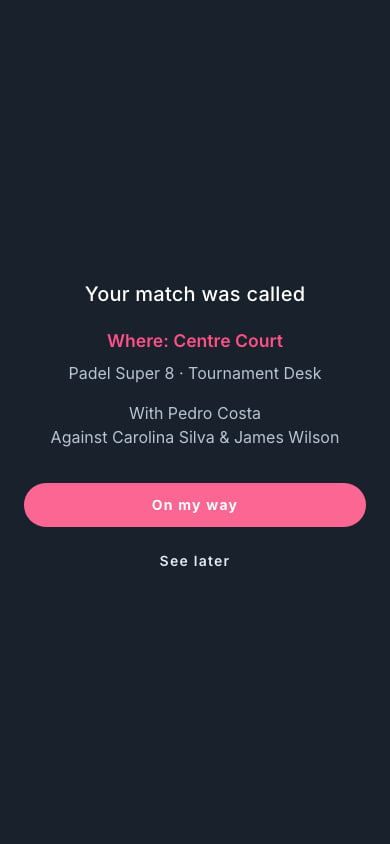
The call alert on the player's phone.