

Entering
The wizard asks for the score set by set, in the format of that sport — tennis does not score like volleyball, and Matchely already knows that. Besides a normal score, you can record:- Retired — someone stopped midway; say who won and the sets up to then
- Walkover — one side did not show up (competition matches only)
Validating
Your opponent gets an alert and validates it. Validation is what makes the match count.Nothing counts before validation. Level, ranking, history, and head-to-head
all wait for your opponent to confirm — which is why the match can be deleted
at the end of the deadline without leaving anything behind. Once validated, a
friendly is worth even more with your own photo or video attached (a
YouTube link does not count).
In a competition match
Players enter results while the round is open. The organizer can edit a result at any time while the round is open — there is no formal dispute flow: if the two sides disagree, the organizer is the one who adjusts it.When the match starts to count: rate who played with you
Rating the people who played with you — your opponent and, in doubles, your partner too — opens one person at a time, on the same screen.On a friendly it only opens after validation. While your opponent has not
confirmed, the match can still be edited or deleted, so Matchely neither asks
for a rating nor accepts a photo yet. In a competition match, which counts as
soon as the score is final, the rating opens right away.
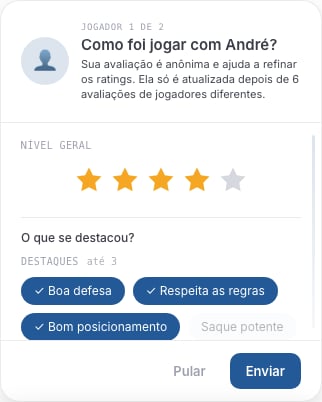
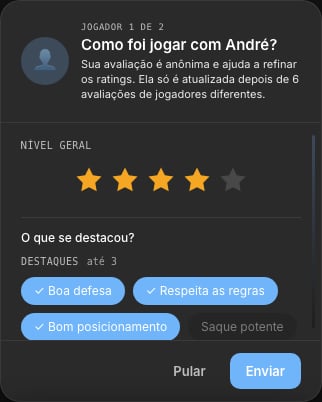
One star already counts as an answer. Highlights and what could improve only show up after it, and are optional.
- One star is enough. It answers “would you play with this person again?” — that is your Recommendation, and it shows on their profile. After it, if you want, say whether their level is below, close to or above yours (that is the part that moves the rating) and pick Highlights and Could improve (up to 3 each).
- It is anonymous. The person you rated never sees your score: it only moves their number once six ratings from different players have arrived.
- Once per person, every 90 days. Played again with someone you already rated? Matchely does not ask a second time. After 90 days, if you have played together again, it asks for an update — and on their profile you can see when you rated them and from when you can refresh it.
- Skip does not mean “never”: the request stays for 14 days. Meanwhile a card on the home screen reminds you — with Not now to postpone and Don’t rate this match to close it for good — and the match page shows a Rate who played button.


The card that stays on the home screen while there is someone left to rate.
And to finish, Matchely itself
After you rate someone, every now and then Matchely asks how using the app is going: 👍 or 👎, one tap.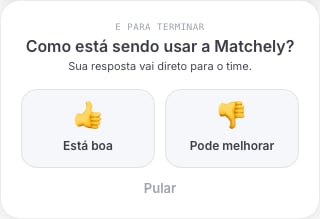
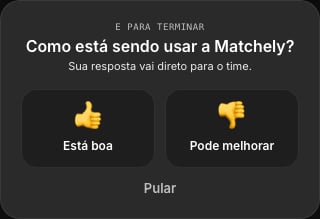
The final question, separate from the score you gave the players.
Rating who played is what feeds your rating — in
batches of six, anonymously. The question about the app goes into no number
at all.
Next: “Match registered!”
With the score saved, Matchely opens the Match registered! screen — after the rating, when that came first. Where the match already accepts media, this screen asks for the photo before the sharing, on purpose: that is the moment everyone is still around.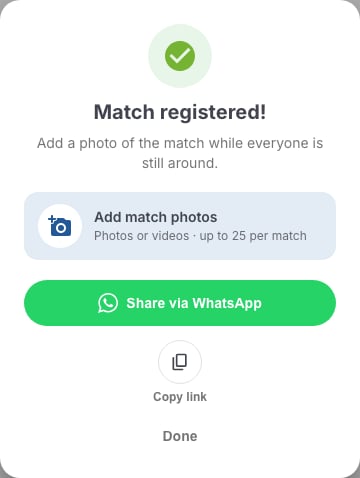
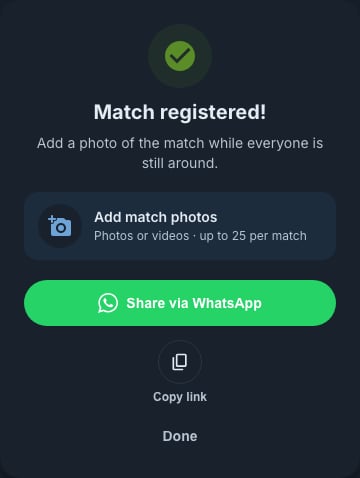
The screen that opens as soon as the score is saved: the photo comes before the sharing. On a phone there is also Take a photo.
The photo step only shows up once the match accepts media: played on court
(a normal score or a retirement) and, if it is a friendly, already validated
by your opponent. In a walkover or a still-pending friendly the screen
goes straight to sharing, and the link points to the app rather than to a
public page. On a friendly, then, the gallery opens when the validation
arrives — the photos wait for it.
Photos and videos
Every played match has its own gallery, in the Photos and videos section of the match page. With at least one item, the media moves to the top of the page, above the score — and the cover also shows on the card under My matches, on the Photos tab of every player who was in it, and in the match chat.

With no photo, the section invites whoever played to add theirs.
- Take a photo — opens the camera there and then. It only shows up on a phone; on a computer the option does not exist.
- Choose from library — several at once, photos and videos mixed.
- YouTube link — paste the video address and it joins the gallery.
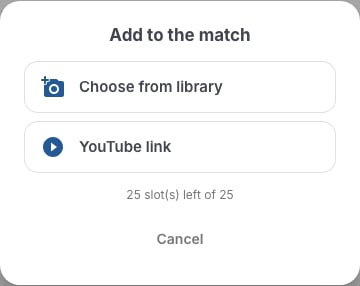
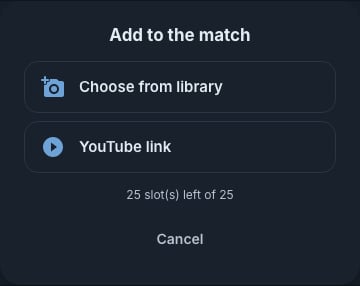
On a computer the menu offers two options; on a phone, Take a photo as well.
Photos up to 10 MB. Videos up to 2 minutes — 5 minutes with PRO:
Matchely compresses the video on your device before uploading, and if it’s
longer you pick the clip that goes in. On an older browser, which cannot
compress, the cap drops to 1 minute and 50 MB.
Your own photo or video raises the ranking value of a validated friendly —
it is the evidence that the match happened. A YouTube link does not count
for this (anyone can paste somebody else’s video), and in a competition match
media does not change the points.
Sharing the result
On the match page, Share result builds a card with the score, the players and the cover photo and opens your device’s share sheet — you pick where it goes. The link points to the match’s page onmatchely.com, with the score,
the players, the sets and the photos.
The button belongs to whoever played and to whoever runs the competition, on a
match finished on court, and it shows up where the device has native sharing —
in practice, on a phone.
If the match belongs to a competition, the link from “Match registered!” goes
to the competition’s page, not to the match’s.
In the full-screen viewer, Share photo sends one specific photo.