

First of all: a complete profile
Where competitions show up
The Competitions screen has three blocks, top to bottom:- Sports — the sports grid. Tapping one filters everything below it.
- One carousel that depends on you — only one of these shows at a time:
- My Competitions, if you have already created, requested to join, or followed a competition;
- Near you, if you have no competition yet but have set your location;
- Suggested Competitions, if you are new here and have not set where you play.
- Featured Competitions — the open or ongoing competitions Matchely recommends, at most six per sport.1
How to enter
1
Find the competition
Through search, through the sections of the Competitions screen (above),
or through the link the organizer sent.
2
Tap Participate
Pick the division, if there is more than one.
3
Most of the time, you are already in
Your entry goes straight to Awaiting start. If the category is full,
the app asks whether you want to join the waiting list — without
paying now; if a spot opens you are notified (and, in a paid competition,
given a deadline to pay). If you back out, the category is not registered.
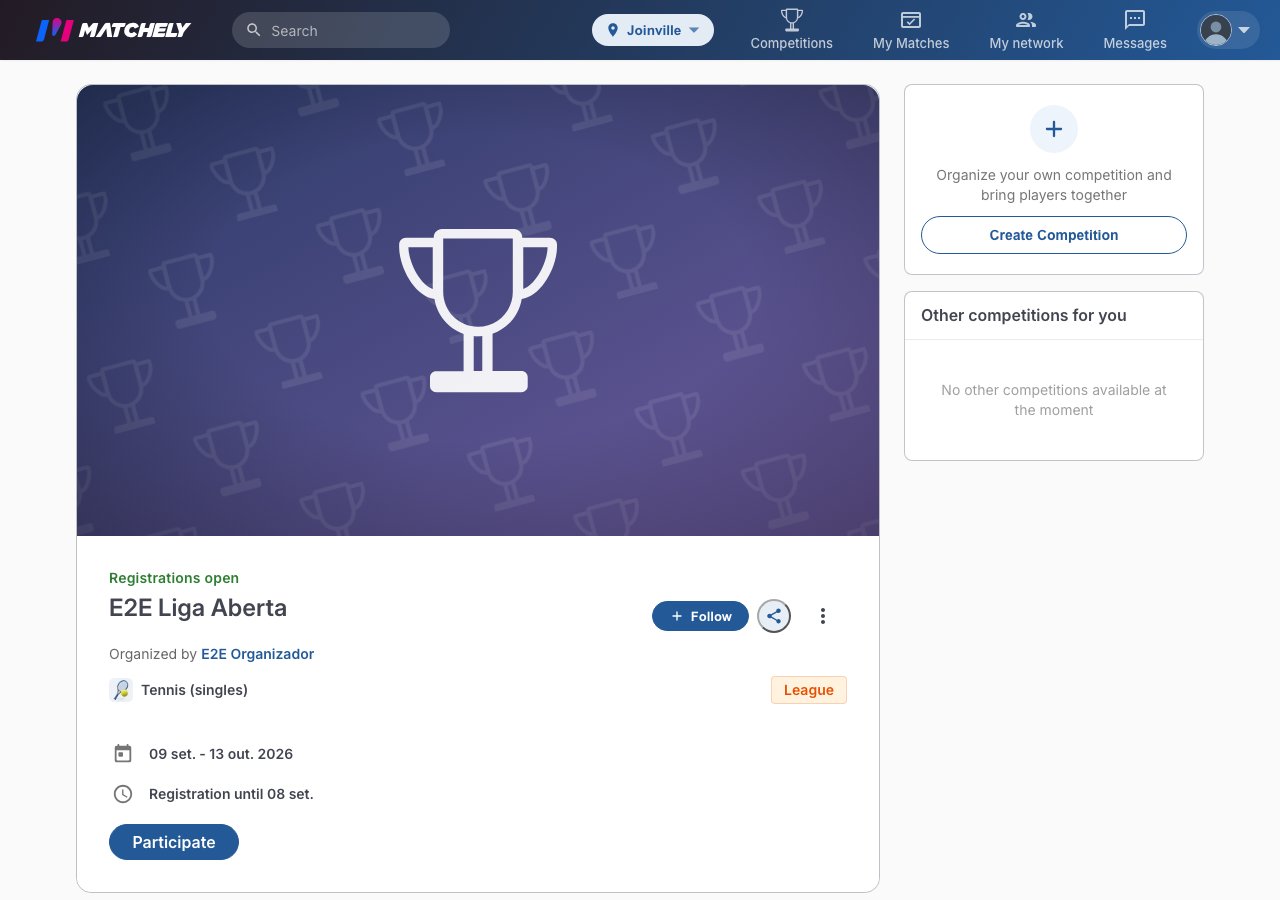
The Participate button, on the competition page.
You only land on Requested, waiting for the organizer to accept, when
they turn off automatic approval or when the competition uses manual
verification (payment is arranged outside the app, with or without a Pix
key).
Your entry’s states
Awaiting start · Next in line · Requested · Paid · Active · Suspended · Declined.Playing as a fixed pair
In some doubles competitions the pair is fixed: you play the whole competition with the same partner. In those, the competition page shows the Your team block.- Invite a partner — once registered, search for your partner by name or username. They get the invite and accept it on the competition page itself; if they are not registered yet, their registration comes first. The invite is valid until the registration deadline.
- Partner required — when the organizer requires it, your registration only completes once the pair is formed.
- No partner — where it is not required, you can wait for the organizer to form the pairs.
Paid entry
The organizer receives the money, not Matchely — they are the seller and the one responsible for the competition.- In Brazil, payment happens inside the app: Pix or card. As soon as the payment is recognized, your entry shows as Paid — and the organizer still confirms it, from their payments queue. Only then do you move to Awaiting start (or Next in line, waiting for the round to start — whoever has already paid keeps the spot).
- There may be price tiers (the price rises as the date approaches) and discounts.
- Manual verification (payment arranged outside the app): you pay the organizer directly — if they registered a Pix key, it shows in your entry with the amount, and the app shows Payment to be verified by the organizer until they confirm the payment. There is no “I paid” button and no receipt upload — keep yours.
- People on the waiting list do not pay. Payment is only asked for when a spot opens.
Coupon
If the organizer created coupons, the checkout has I have a coupon: type the code and tap Apply. It may not go through — unknown code, outside its validity window, fully used, or not valid for the current tier — and the screen says which. If the discount you already have beats the coupon, Matchely keeps the better one.Extras
Some organizers sell items alongside the entry — a kit, a shirt. They show up in an Extras step in the checkout, with an option to pick where there is one (size, model). If your profile already has that information, it comes prefilled, and what you pick can be saved back there.An extra takes no discount and no coupon — its price is added on top. A
required extra has to be picked for the checkout to move on; the rest have
Continue without extras. In a team charge, each teammate picks their own
when they register.
Asking for your money back
Whether a refund exists at all is the organizer’s call, in their policy. Where it is switched on, a paid entry shows Request refund and says until when the refund is automatic:- Inside the automatic window — the amount comes back right away, through the same payment method.
- Outside it — the request goes to the organizer to decide, along with the reason you wrote.
- No policy — there is nothing to request in the app; you settle it directly with the organizer.
Every payment you make on Matchely — entries, extras, and anything else you
pay for here — lives under Menu → My account → My payments, with the
state of each one and Resend receipt.
Organizer invitations
They can also invite you. An invitation banner appears and you decide. The organizer can also enroll you directly. You get a notice (or, if you do not have an account yet, a link to create one with the same e-mail) and the entry appears under My registration, asking for your confirmation — and for payment, if the competition is paid. Even without confirming, someone who was enrolled is in the draw; you can Leave at any time.My registration
On the competition page, anyone already registered has the My registration shortcut. There you see the categories, the partner, the amount and the deadline, and the state of the entry (Confirm your participation, Payment pending, Payment to be verified by the organizer, Payment overdue, On the waitlist or Registration complete). The buttons are Pay (when payment is made in the app), Confirm participation and Leave. If another category is open, Join another category sits on the same competition page.Leaving, or skipping a round
- Skip next round — you stay in the competition but sit the next one out. Useful for travel or injury.
- Leave the competition — asks for a reason, closes your pending matches and chats, and cannot be undone. Matches already played stay in your history.
1 Featured Competitions shows at most 6 competitions per selected sport, only competitions with their own cover image, and never displays a competition whose name, username, or contact e-mail contains a reference to testing, in any of Matchely’s languages (for example test, teste, prueba, essai, prova). A competition without a cover, or with a reference to testing, stays reachable through search, through its link, and for its participants — it just does not enter Featured. Both limitations apply to any form of featuring, including paid featuring in the future.