> ## Documentation Index
> Fetch the complete documentation index at: https://docs.matchely.com/llms.txt
> Use this file to discover all available pages before exploring further.
# Book a court
> Pick a time on a venue's grid, pay in the app, split the cost with whoever is playing and cancel within the deadline.
Venues, clubs and academies that use Matchely can sell court time through the
app. You see the venue's grid, pick a start and a duration, pay through Mercado
Pago and the court is yours. You can **split the cost** with whoever is playing
and cancel under the policy the venue itself publishes — which you read before
paying.
Booking requires a Matchely account. The venue's **public page** shows the
courts and opening hours to any visitor; the **Book** button lives in the
app, for signed-in players, and only at venues that turned paid booking on.
## Where to book
Open the venue's page on Matchely (its link, or from a competition it
published). Under **Courts**, each court has a **Book** button. If the venue
has not turned online booking on yet, the list of courts and hours stays there
for reference only.
There is no court search by city or map yet: the way in is always the venue's
page.
## The time grid
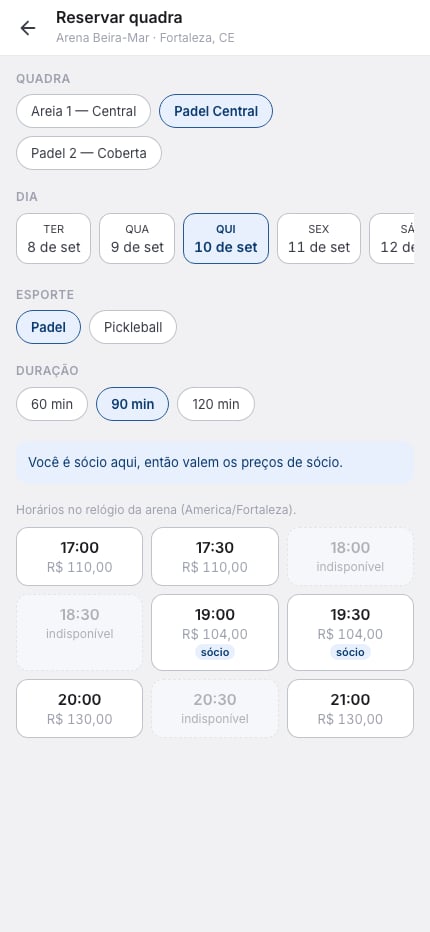
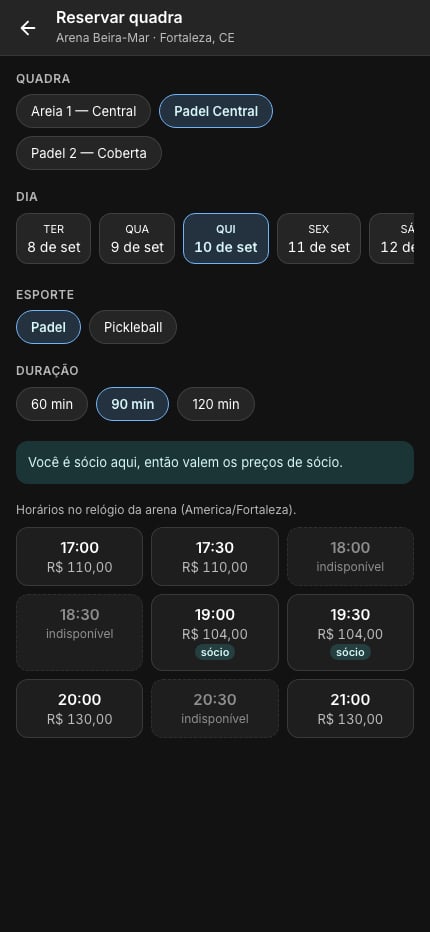
A strip of dates starting today. How far ahead you can book is up to the
venue.
The court selector only shows when the venue has more than one court; the
sport chips, only on a court that hosts more than one sport. The durations
on offer (60, 90, 120 minutes…) are the venue's choice too.
Each cell is a possible start, with the price for the chosen duration. A
dimmed cell has no price or is already taken. If you are a **member** of
the organization, the grid already shows member prices.
Times are always in the **venue's clock**. Booking from another time zone, the
grid tells you which zone that is.
 ## Confirm and pay
Tapping a time opens the confirmation: court, day, start, duration and price, a
**message to the venue** (optional) and the **cancellation policy** — how many
hours before the start you can still cancel with a full refund. Read it before
paying: that policy is the one that applies to your booking, even if the venue
changes theirs later.
**Pay** opens Mercado Pago. While you pay, the time is **held for 10 minutes**
so nobody else can take it. Once paid, the booking becomes **Confirmed** and
you get an email with the calendar event. If the payment does not finish within
the hold, it expires and the time goes back on the grid — nothing is charged.
The court is sold by the **venue**, into its own Mercado Pago account.
Matchely keeps nothing from the booking and does not hold the money: refunds
and any settlement are between you and the venue, through the app.
## Split the cost
If the venue allows it, turn on **Split the cost** at confirmation and add 1 to
3 people — from your network or just by name. The cost is split into equal
shares (some courts cap the number of people by capacity). You pay **your
share** now, and that is what confirms the booking.
Each guest pays their share through a link of their own. Guests with a Matchely
account get a notification as soon as the booking is confirmed; for the others,
the booking screen has **Copy link** next to each name, with a ready-made
message. Whoever opens the link sees only what concerns them — court, time and
the share amount — and taps **Pay my share**.
**Whoever books is the guarantor.** Shares have a deadline, set by the venue
(some hours before the start). If any share is still open at the deadline,
the balance is charged to you. Nothing is debited on its own: you get a
notice and a payment to complete. If the balance is not paid by **2 hours
before the start**, the booking is cancelled and **everyone gets back what
they paid**, even outside the policy window.
## The booking screen
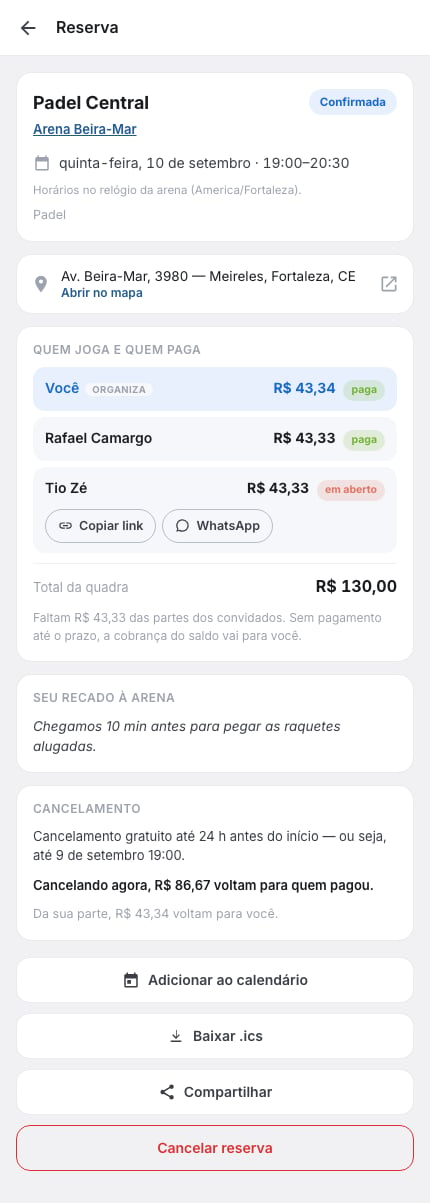
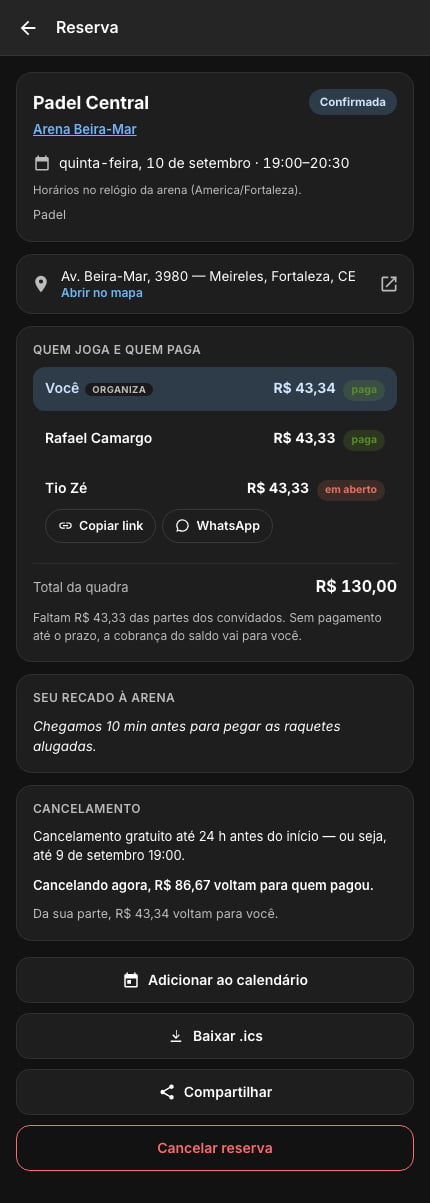
Every booking has a screen of its own, with the current status (**Awaiting
payment**, **Confirmed**, **Cancelled**, **Hold expired**, **Completed**), the
place with **Open in Maps**, who is playing and who has paid, the court total,
your message to the venue and the cancellation policy you read. From there you
also get **Add to calendar**, **Share** and, on a booking still on hold,
**Finish payment** with the hold countdown.
## Confirm and pay
Tapping a time opens the confirmation: court, day, start, duration and price, a
**message to the venue** (optional) and the **cancellation policy** — how many
hours before the start you can still cancel with a full refund. Read it before
paying: that policy is the one that applies to your booking, even if the venue
changes theirs later.
**Pay** opens Mercado Pago. While you pay, the time is **held for 10 minutes**
so nobody else can take it. Once paid, the booking becomes **Confirmed** and
you get an email with the calendar event. If the payment does not finish within
the hold, it expires and the time goes back on the grid — nothing is charged.
The court is sold by the **venue**, into its own Mercado Pago account.
Matchely keeps nothing from the booking and does not hold the money: refunds
and any settlement are between you and the venue, through the app.
## Split the cost
If the venue allows it, turn on **Split the cost** at confirmation and add 1 to
3 people — from your network or just by name. The cost is split into equal
shares (some courts cap the number of people by capacity). You pay **your
share** now, and that is what confirms the booking.
Each guest pays their share through a link of their own. Guests with a Matchely
account get a notification as soon as the booking is confirmed; for the others,
the booking screen has **Copy link** next to each name, with a ready-made
message. Whoever opens the link sees only what concerns them — court, time and
the share amount — and taps **Pay my share**.
**Whoever books is the guarantor.** Shares have a deadline, set by the venue
(some hours before the start). If any share is still open at the deadline,
the balance is charged to you. Nothing is debited on its own: you get a
notice and a payment to complete. If the balance is not paid by **2 hours
before the start**, the booking is cancelled and **everyone gets back what
they paid**, even outside the policy window.
## The booking screen
Every booking has a screen of its own, with the current status (**Awaiting
payment**, **Confirmed**, **Cancelled**, **Hold expired**, **Completed**), the
place with **Open in Maps**, who is playing and who has paid, the court total,
your message to the venue and the cancellation policy you read. From there you
also get **Add to calendar**, **Share** and, on a booking still on hold,
**Finish payment** with the hold countdown.
 ## Cancelling
Only whoever booked can cancel. Before you confirm, the screen shows **how much
comes back**: within the policy window, the full amount to each person who
paid (your share and the guests'); past it, nothing. The court goes back on
the grid right away, and the refund takes a few days to show up, at the
gateway's pace.
When the **venue** cancels (rain, maintenance), the amount paid comes back in
full, even outside the window — unless you agreed to settle it outside the
app. You get a notice with the reason.
## Where the booking lives
* **My matches → Upcoming matches**: confirmed bookings, by date, next to your
other matches.
* **My matches → Needs you**: a booking of yours still **awaiting your
payment**, or a **share of yours still open** on someone else's booking.
* **Menu → My account → My payments**: every court payment, with its status
(paid, refunded) and **View booking**.
How My matches is organised.
Register courts, prices and turn paid booking on.
## Cancelling
Only whoever booked can cancel. Before you confirm, the screen shows **how much
comes back**: within the policy window, the full amount to each person who
paid (your share and the guests'); past it, nothing. The court goes back on
the grid right away, and the refund takes a few days to show up, at the
gateway's pace.
When the **venue** cancels (rain, maintenance), the amount paid comes back in
full, even outside the window — unless you agreed to settle it outside the
app. You get a notice with the reason.
## Where the booking lives
* **My matches → Upcoming matches**: confirmed bookings, by date, next to your
other matches.
* **My matches → Needs you**: a booking of yours still **awaiting your
payment**, or a **share of yours still open** on someone else's booking.
* **Menu → My account → My payments**: every court payment, with its status
(paid, refunded) and **View booking**.
How My matches is organised.
Register courts, prices and turn paid booking on.