> ## Documentation Index
> Fetch the complete documentation index at: https://docs.matchely.com/llms.txt
> Use this file to discover all available pages before exploring further.
# What players see
> The call on the phone, the court-change notice and what happens when the app is closed.
On the player's side, everything happens on the **phone**.
## The call
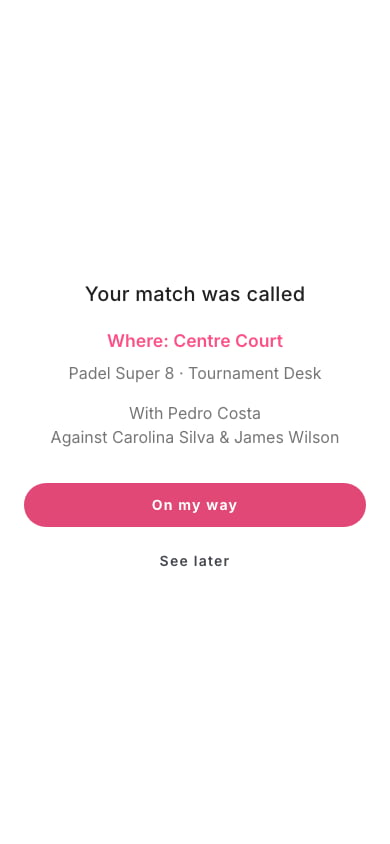
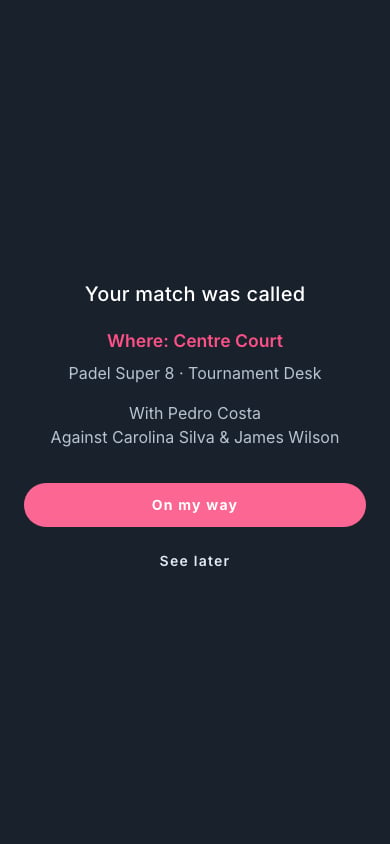
When the desk calls the match, the app opens a **full-screen alert**: "Your
match was called", with the court, the competition, the partner and the
opponents. Two buttons:
* **On my way** closes the alert and opens the match page.
* **See later** just closes the alert.
Either way the call counts as seen: the alert does not open again, not even on
another device of the same person. If the desk **undoes** the call or
**starts** the match before the player answers, the alert closes on its own.
 In a doubles match, all four players get the same alert. Only players
**entered in the match's category** are notified — entered by themselves or by
the organizer. Anyone who is not (a substitute who went straight into the
match, or an invitee who has not accepted the invitation yet) gets neither the
alert nor the notification; the desk calls the match all the same.
If the desk calls the same match again, the alert reopens, even for players
who had already answered.
## Court change
If the desk changes the court of a match **already under way**, the player gets
a discreet notice at the bottom of the screen — "Your match changed court",
with the new location and a **View** button — not a full-screen alert. If the
match was only **called**, the change reopens the full alert, with the new
court.
## With the app closed
The call (and the court change) also arrives as a **notification**. Tapping it
opens the match. For that, the player must have allowed notifications from
Matchely.
## Your next match
In the one-afternoon formats (Super 8, Americano and the others with turns),
while the round is open, the competition page shows the player the **Your next
match** card: the turn, the court, who with and who against, and the match's
state at the desk.
## After the match
The result, the score and the standings show up on the competition page and in
each player's history, as with any competition match.
This documentation is built and hosted on [Mintlify](https://mintlify.com), a developer documentation platform.
In a doubles match, all four players get the same alert. Only players
**entered in the match's category** are notified — entered by themselves or by
the organizer. Anyone who is not (a substitute who went straight into the
match, or an invitee who has not accepted the invitation yet) gets neither the
alert nor the notification; the desk calls the match all the same.
If the desk calls the same match again, the alert reopens, even for players
who had already answered.
## Court change
If the desk changes the court of a match **already under way**, the player gets
a discreet notice at the bottom of the screen — "Your match changed court",
with the new location and a **View** button — not a full-screen alert. If the
match was only **called**, the change reopens the full alert, with the new
court.
## With the app closed
The call (and the court change) also arrives as a **notification**. Tapping it
opens the match. For that, the player must have allowed notifications from
Matchely.
## Your next match
In the one-afternoon formats (Super 8, Americano and the others with turns),
while the round is open, the competition page shows the player the **Your next
match** card: the turn, the court, who with and who against, and the match's
state at the desk.
## After the match
The result, the score and the standings show up on the competition page and in
each player's history, as with any competition match.
This documentation is built and hosted on [Mintlify](https://mintlify.com), a developer documentation platform.